HR solutions from LINE clock-in to payroll
Staff handle everyday HR tasks in LINE, managers see staffing and approvals in real time, HR links attendance, scheduling, overtime, comp time and payroll into one flow, and owners can see the numbers anytime.
One system that saves time for employees, managers, HR and owners alike.
Handle everyday HR tasks in LINE
Clock in, request leave, fix missed punches, view schedules, check attendance and pay — no extra app to download.
Real-time view of staffing and approvals
Pending approvals, attendance exceptions, staffing gaps and working hours in one place — no more digging through messages and spreadsheets.
Centralized, with less month-end rework
Employee data, attendance, leave, scheduling, overtime, comp time, payroll and reports linked into one complete flow.
See the numbers that matter
Track attendance, overtime, staffing and operating trends by site, department and time period.
If your staff can use LINE,
they can use Jie-Heng AI HR.
No need to make staff install another app or learn a complicated interface. The most common HR tasks happen right in LINE — lowering rollout friction and raising adoption.
- One-tap LINE clock-in
- GPS, Wi‑Fi and QR code clock-in
- Online leave, overtime, comp time and missed-punch requests
- Check schedules, attendance and leave balances
- Check pay and payslips
- AI HR assistant answering questions 24/7
- Manager approvals and to-dos in LINE
Leave period: tomorrow 13:00–18:00, 0.5 day in total.
Submit this request?
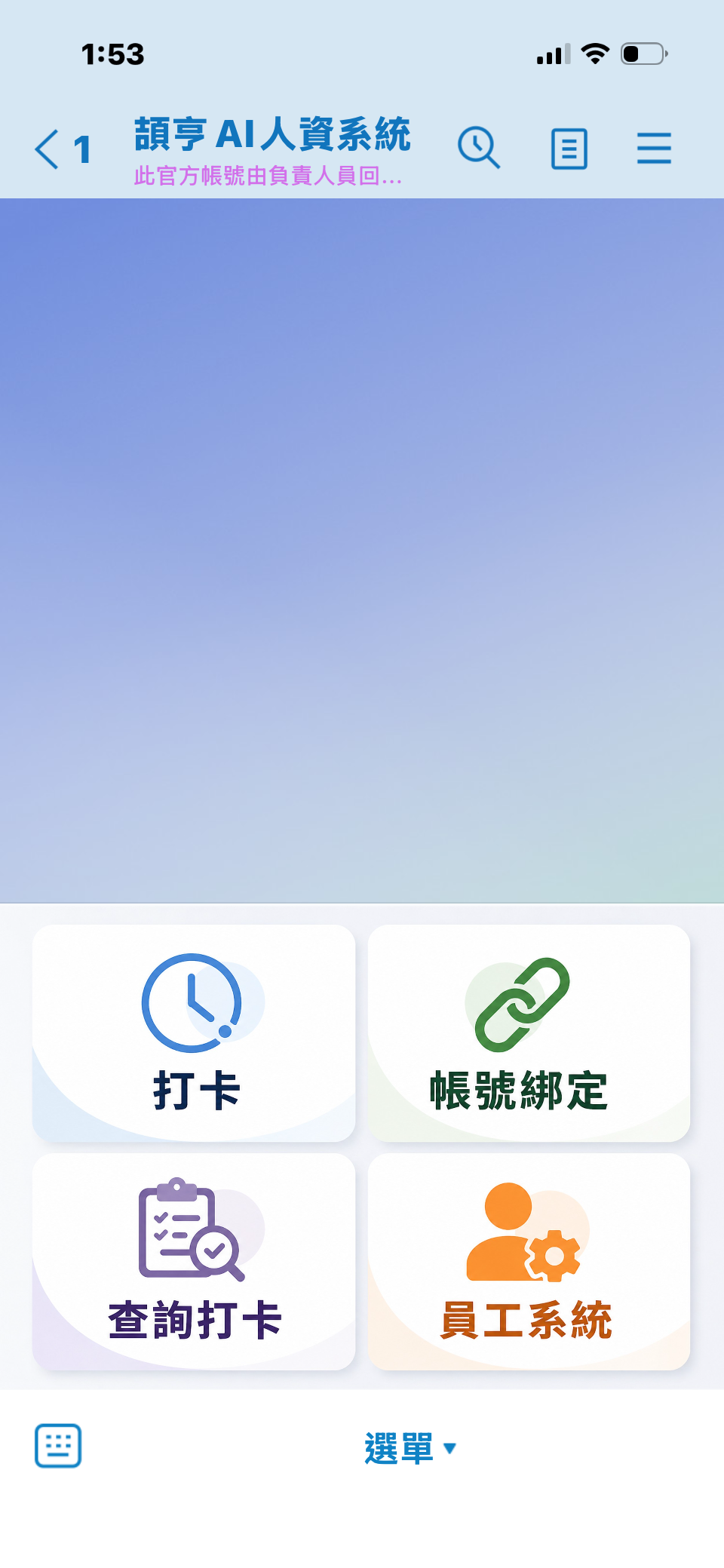
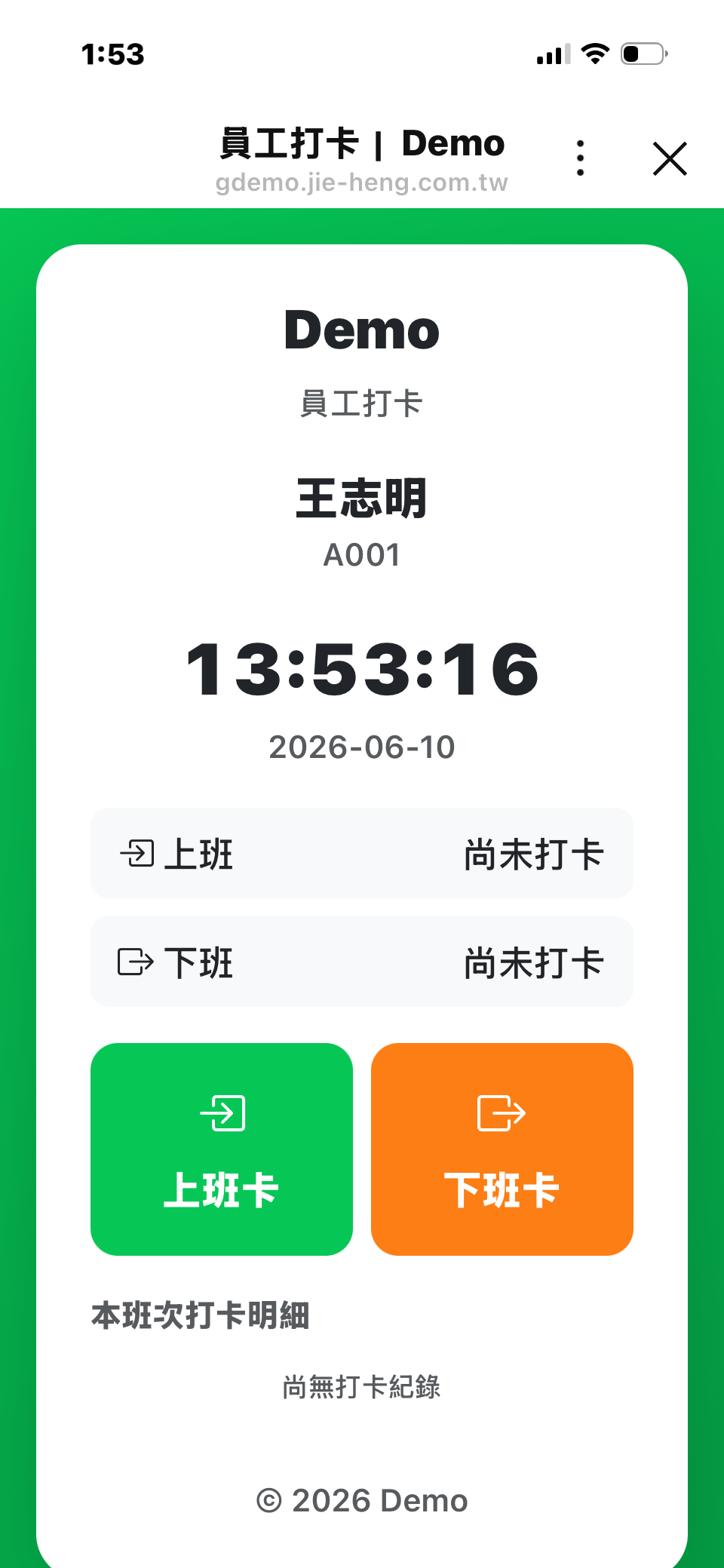
Key HR to-dos delivered instantly; complete records kept securely.
Depending on how important an event is, the system sends reminders by in-app notification, email or LINE. Leave, overtime, comp time, missed clock-ins, pending approvals and schedule changes can trigger instant alerts so staff and managers act fast, while sensitive details such as pay and leave reasons stay inside the permission-controlled system.
In-app notifications
All to-dos, approvals and records managed in one place — traceable and searchable.
Email notifications
Formal notices, action links and announcements — included in every plan.
LINE instant alerts
Pending approvals, schedule changes, missed punches and payslip-ready alerts — enabled based on usage.
Email and in-app notifications are standard. Proactive LINE push messages are billed according to the company's LINE Official Account plan and actual message volume, and can be added on or connected through your own LINE Official Account.
More than recording clock-ins — it connects your entire monthly HR flow.
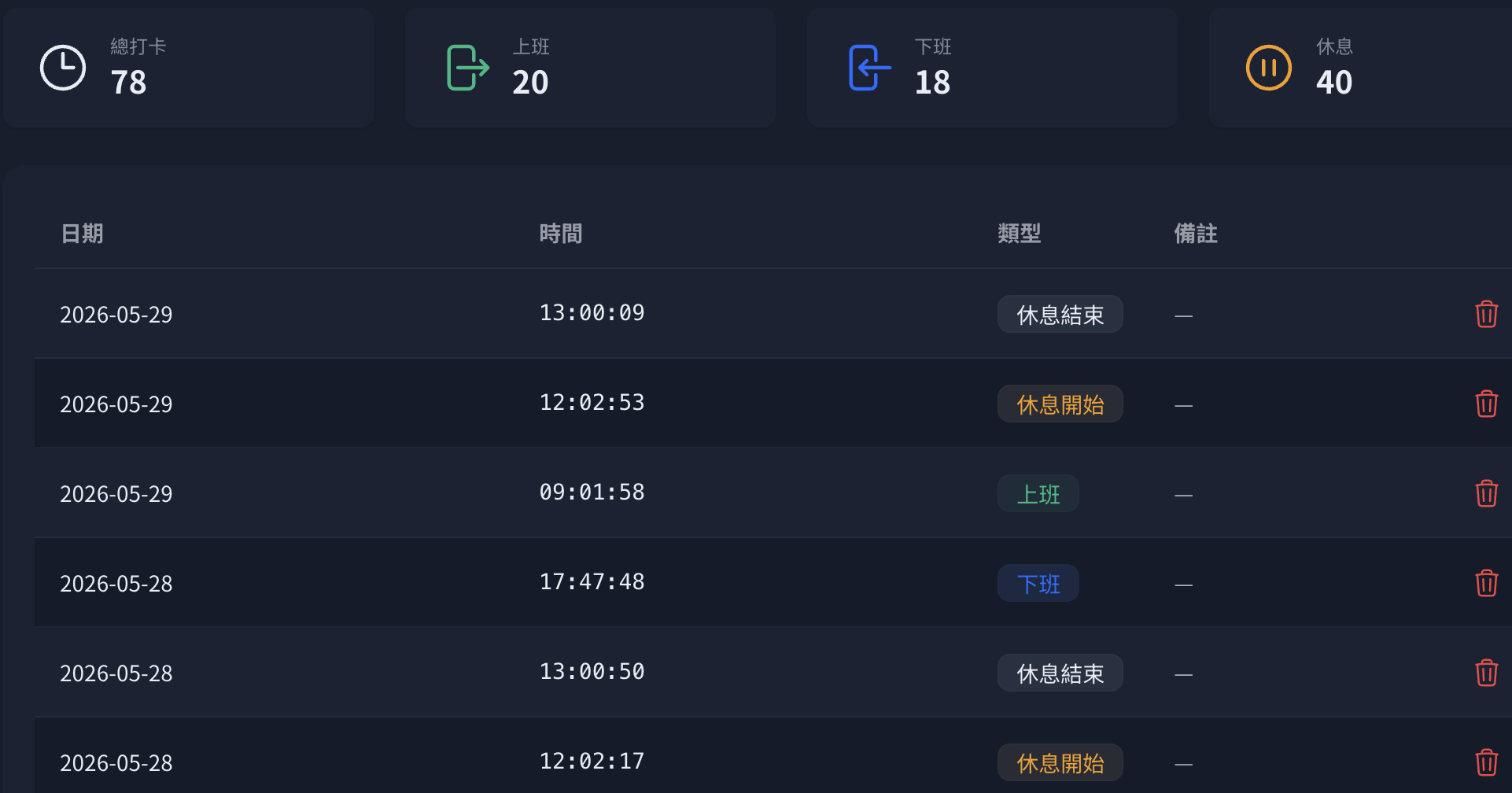
- 01 Clock-in & scheduling
- 02 Leave, overtime, comp time & approvals
- 03 Attendance exceptions & hours checks
- 04 Payroll calculation & adjustments
- 05 Payslips, reports & management summaries
Attendance data stops being just a record and becomes a trustworthy basis for payroll, reports and management decisions.
From the Growth plan up, schedules, leave, overtime and comp time feed straight into payroll; HR can review exceptions before closing, while managers and staff see only what their permissions allow.
One less manual entry means one less month-end mistake.
AI that doesn't just chat —
it helps you get HR work done.
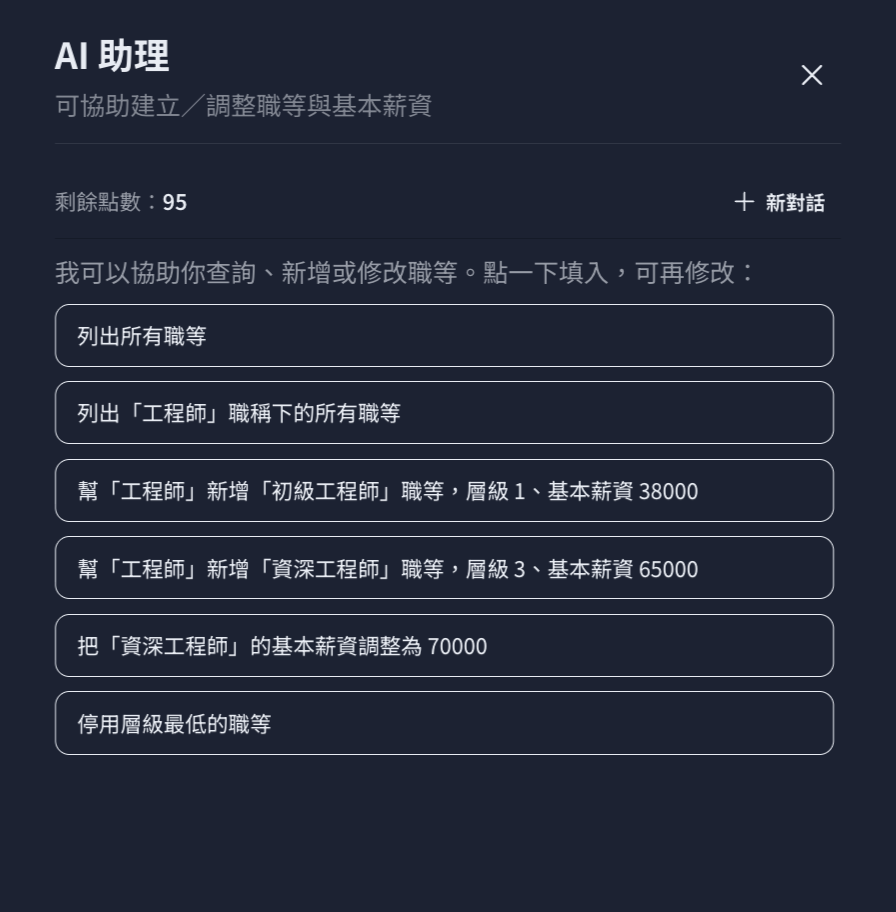
Let AI look up data, sort out exceptions, explain policies, produce summaries and remind you of to-dos; anything involving personal data, pay or data changes stays guarded by permissions and human confirmation.
Attendance helper
Find missed clock-ins, late arrivals, early leaves, unusual punches and pending items.
Leave helper
Check leave balances, rules, request status and cover arrangements.
Payroll helper
Explain how a payslip is made up and why attendance or adjustments changed it.
Scheduling helper
Suggest schedules and flag staffing gaps and working-hour risks.
Reports helper
Summarize trends by department, site, overtime and attendance.
Policy knowledge helper
Answer attendance, leave and internal policy questions based on your approved company rules.
Sample conversations
*Sample conversations; names and figures are illustrative.
How AI stays safe
AI answers based on each user's permissions; changes show a preview for confirmation first and are logged, reducing the risk of mistakes and unauthorized access.
Labor law rules built in — compliance no longer depends on memory.
Legal articles, overtime caps and the one-day-off-in-seven rule are built into the system, flagging risks in schedules and attendance before they become problems.
Automatic law sync
Connected to Taiwan's national law database: when Labor Standards Act articles change, preview the differences, apply after confirming, and keep every past version.
Legal parameters by effective date
Payroll and statutory parameters are versioned by effective date, so new rules can be set up in advance and switch over automatically.
Working-hours compliance report
Checks each employee's monthly overtime cap (Article 32) and one day off in seven (Article 36), listing violations with their legal basis.
Pre-publish schedule check
Schedules are checked against labor law before publishing: violations are blocked, and warnings must be confirmed before going live.
Clock-in, scheduling and admin tools — built in from day one.
AI smart scheduling
AI drafts schedules from staffing needs and shows daily gaps; when someone takes leave it recommends compliant cover staff, and two employees can swap shifts.
Face-recognition clock-in tablet
Clock in with face recognition on a tablet; employees can self-enroll on the tablet, effective after HR approval.
RFID card clock-in
Works with card-reader devices; card numbers are linked to employees and punches flow straight into attendance records.
Clock-in location QR codes
Each location gets its own QR code to download or print and post; employees scan it with LINE to clock in.
Six interface languages
Traditional Chinese, English, Vietnamese, Thai, Malay and Indonesian — so international staff can use it on their own.
One-click public holiday import
Import official public holidays in one click; typhoon days and company holidays can be set as paid or unpaid, with or without missed-punch deductions.
Audit logs
Key actions, data exports and logins are all logged and searchable by time and user.
SSO and fine-grained permissions
Supports company SSO binding plus custom roles and fine-grained permissions, so you control who can see and change what.
Start with one site and grow all the way to many.
Retail chains & F&B
Manage multi-store schedules, last-minute shift swaps, store-manager approvals and attendance at every store.
Manufacturing & logistics
Multiple shifts, overnight shifts, working-hour checks, plus access-control or card-reader data integration.
Field work & services
Manage attendance across work locations using designated places, GPS or QR codes.
Growing businesses
Start with clock-in and leave at one site, then add payroll, more sites, workflows and integrations later.
Foundations, associations & public-sector projects
Plan an Enterprise or project deployment around permissions, auditing, personal data and internal processes.
Not another clock-in tool, but an HR operations platform that grows with your business.
| Aspect | Typical clock-in tools | Jie-Heng AI HR Management System |
|---|---|---|
| Employee access | Mainly clock-in | LINE clock-in, leave, schedules, pay and AI Q&A |
| Users | Employees and HR | Employees, managers, HR, finance and leadership |
| Scope | Attendance records | Attendance, leave, scheduling, overtime, payroll, approvals, reports |
| AI capability | Basic automation | Look-ups, summaries, reminders and workflow assistance |
| Growth | Fixed features | Upgrade from one site to many sites and enterprise workflows |
| Integration | Usually limited | Connects with access control, card readers, ERP, POS, accounting and existing systems |
| Governance | Basic account permissions | Permissions, audit logs, workflow and data governance design |
| Rollout | Self-setup | From self-service activation to standard onboarding and enterprise projects |
HR data is sensitive. A system needs to be easy to use — and also controllable and traceable.
Pay, attendance, leave and personal data are all highly sensitive. Jie-Heng uses tiered permissions, audit logs, data backups and workflow design to help reduce human error and data risk.
Tiered permissions
Employees, managers, HR, finance and leadership only access what their role requires.
Traceable actions
Key changes and approvals are logged for easy review.
Data protection
Transmission, storage, backup and access security planned around the system architecture.
AI permission control
AI only answers with data the user can already see — never across permission boundaries.
ISO/IEC 27001:2022 certified
Jie-Heng Information is certified to ISO/IEC 27001:2022 for its information security management system, managing security to an international standard.
Download certificate